How To Cancel Recurring Payments?

Asalaamu Alaykum & Hello,

There are 2 ways to stop any further payments coming out of your Polygamy.com account.
  1. From within the login area of Polygamy.com
  2. From within your own PayPal account.

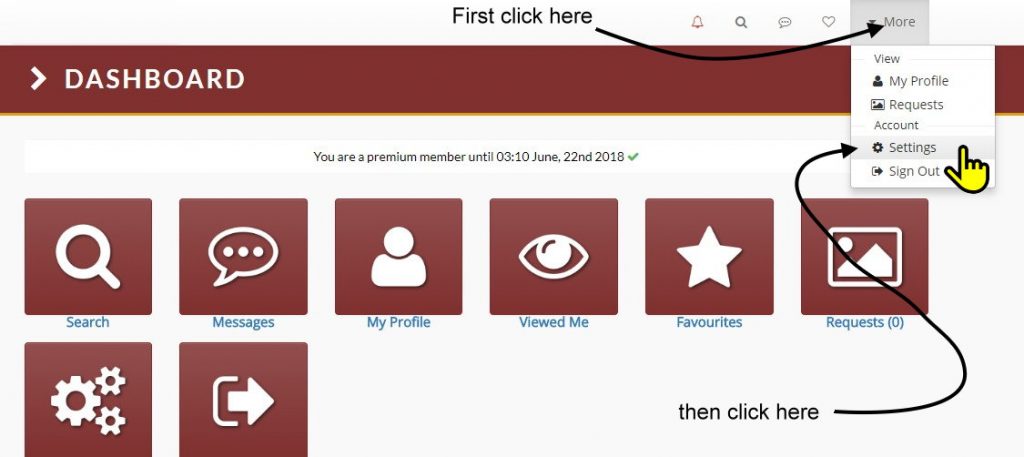
STEP 1: Log into Polygamy.com and click on the “More” button in the top right-hand corner.

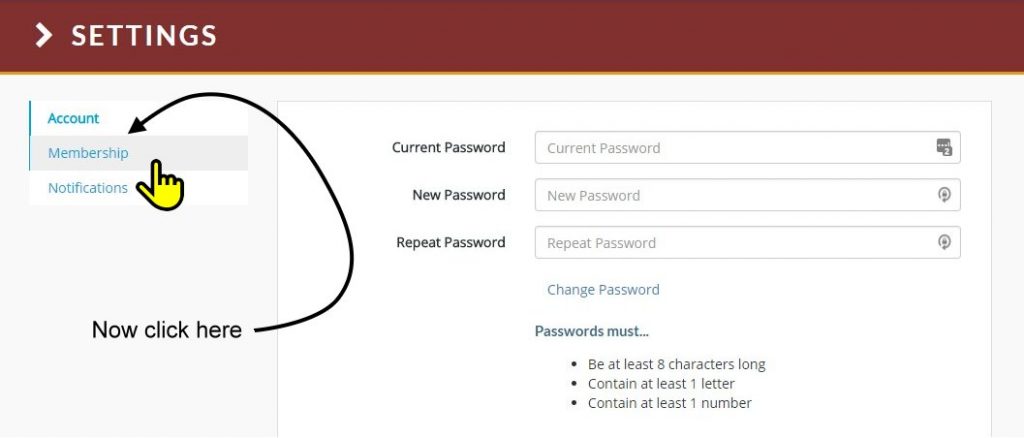
STEP 2: Now on the left-hand menu, click the “Membership” link.

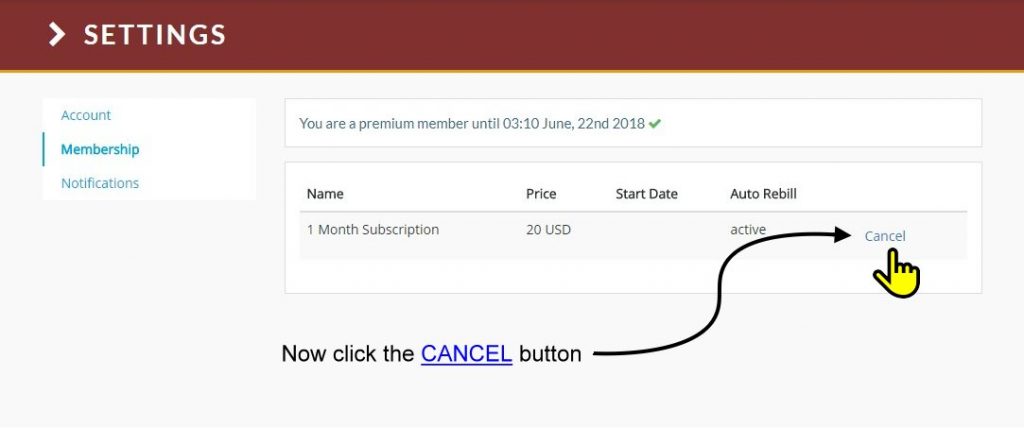
STEP 3: As indicated in the diagram below, click the “Cancel” button.

STEP 4: Log into your own PayPal account.

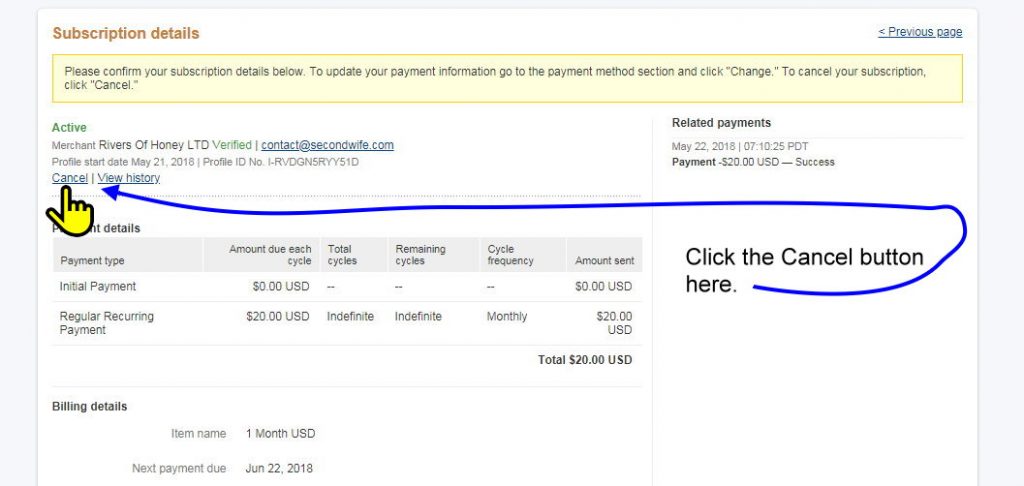
STEP 5: You will arrive on the page shown below. Now click on the “Cancel” link within PayPal.

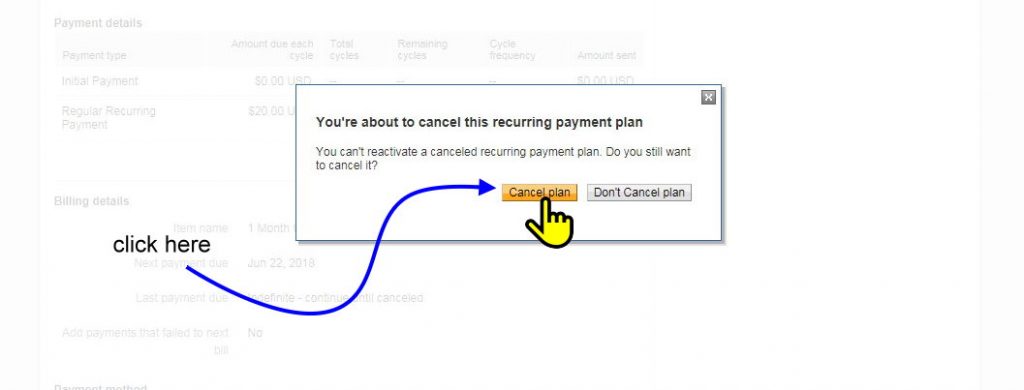
STEP 6: A double confirmation popup will appear. Click on the yellow/orange “Cancel Plan” button to proceed.

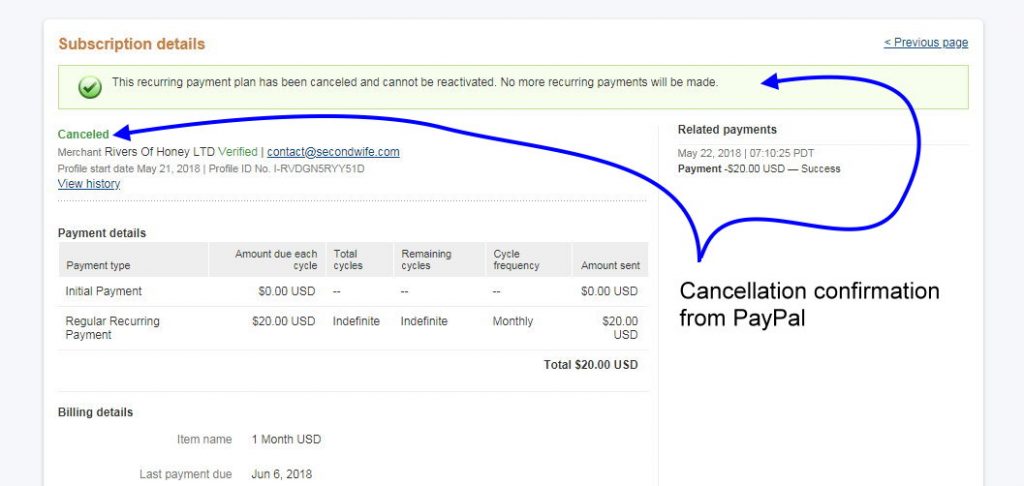
STEP 7: Voila, PayPal will display the following Cancelled Subscription confirmation page.

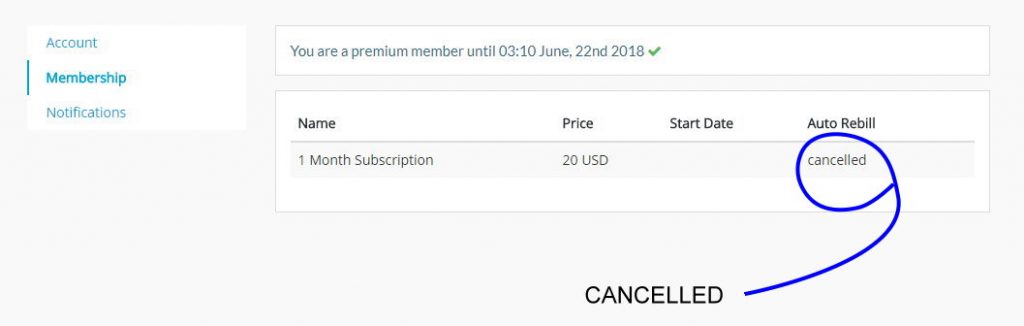
FINAL STEP: Log back into Polygamy.com and check your subscription status. It should now clearly show as “CANCELLED”. If it is not doing so, Get in touch with us.