Do not share Contact Details?

Contact details are not allowed to be posted onto your profile. When you have established a connection with another user, you can give them your contact details to continue the conversation elsewhere.


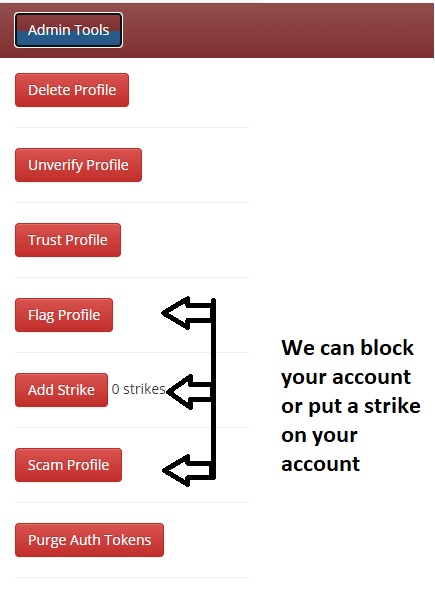
If we find contact details anywhere on your profile, we remove them, apply a written warning on your profile, and apply a strike to your account.
How to increase Profile Percentage?

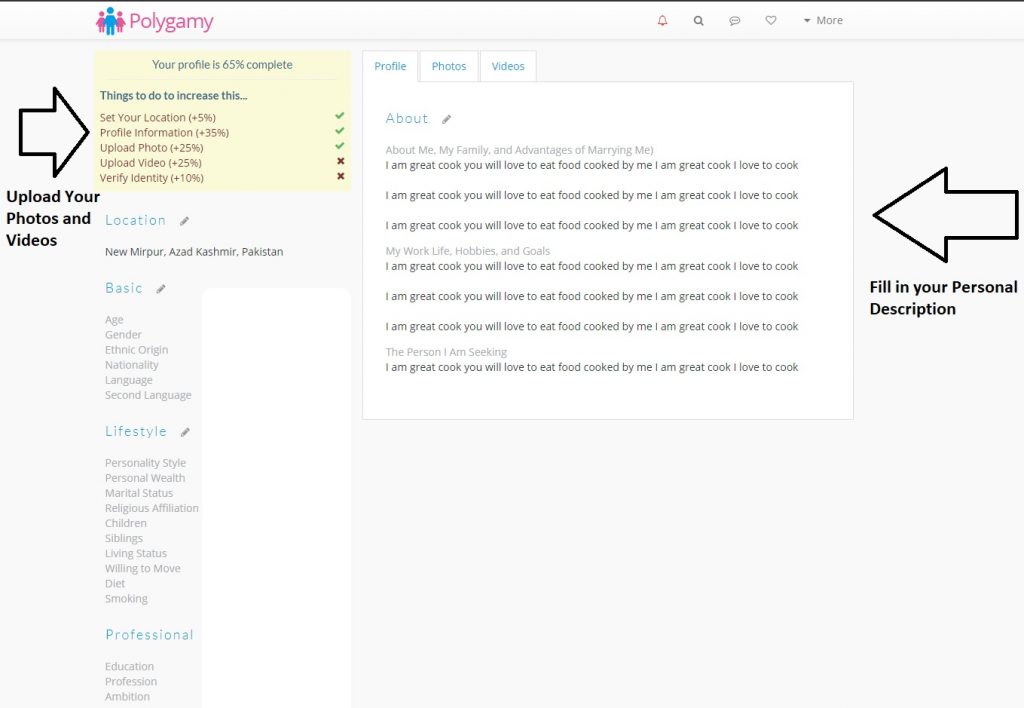
The profile percentage is determined by how filled in your profile is. Once you have filled in your profile to a high percentage, you will appear in searches and will be able to search and view other profiles.

In order to increase your percentage you can;
-Answer all the questions in the “Basic” information sections. Have a minimum of 20 words in each section of your profile.
-Upload a photo of yourself. (Maximum photos – 8)
-Upload a video of yourself.
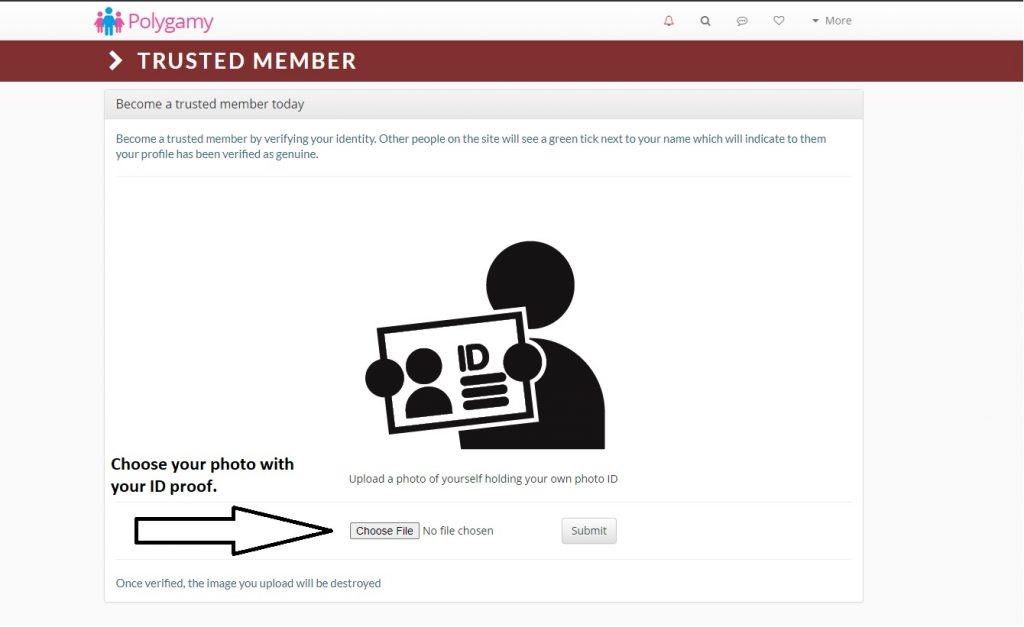
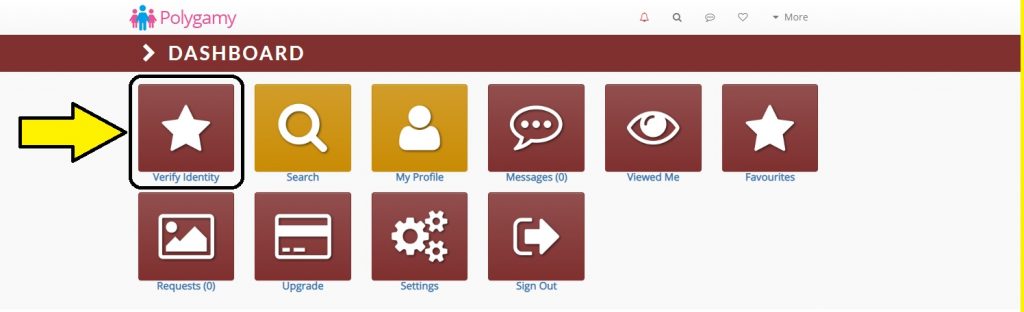
-Verify your identity by sending a photo of yourself showing your ID.

How to Stop Receiving Notifications?

Asalaamu Alaykum & Hello,

Below are simple instructions on how you can stop receiving any further notifications from us regarding your SecondWife.com or Polygamy.com account.

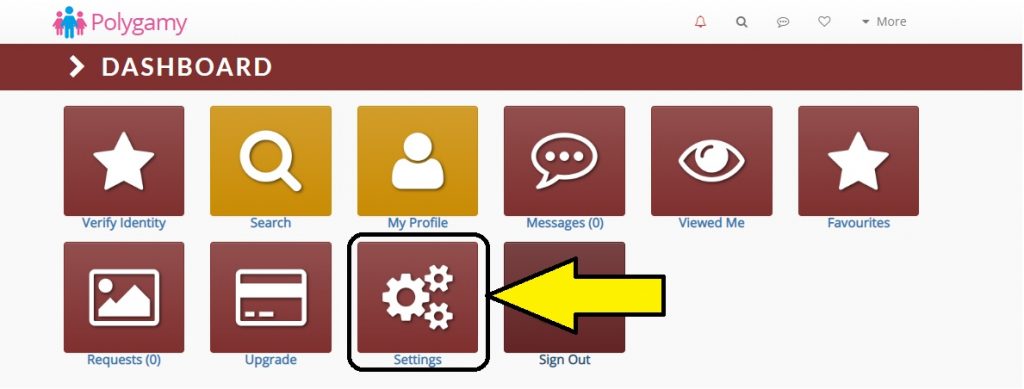
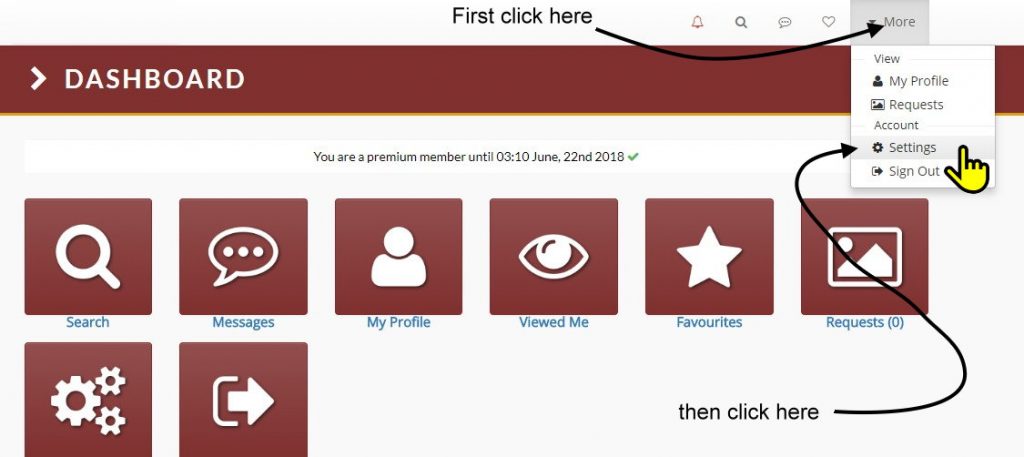
STEP 1: Log into Polygamy.com and click on the “Settings” icon on the main dashboard.

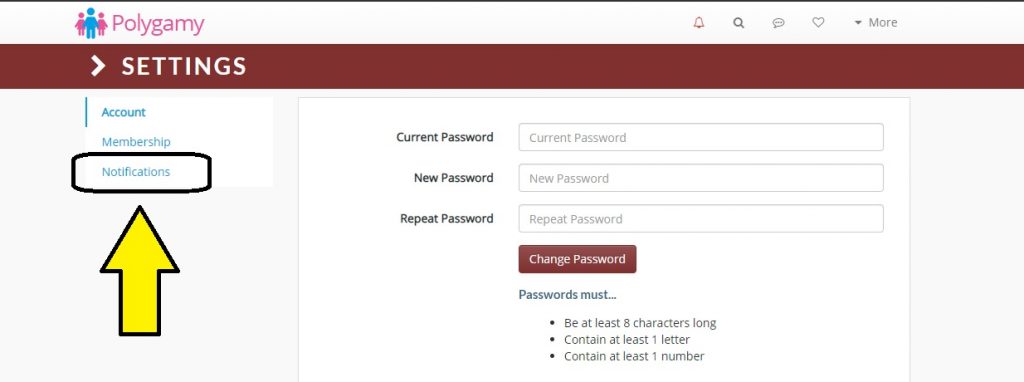
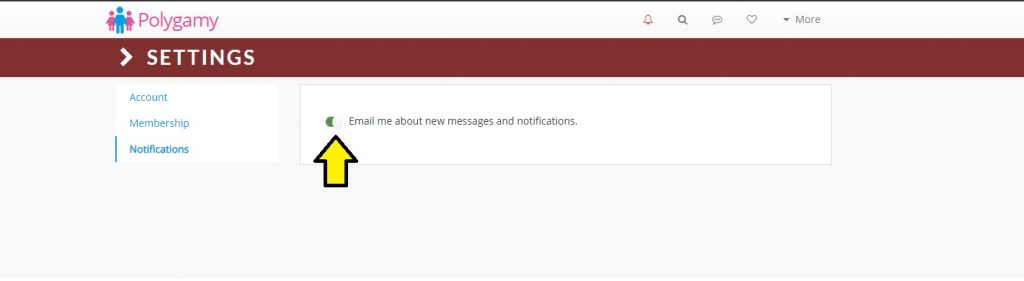
STEP 2: Now on the left-hand menu, click the “Notifications” link.

STEP 3: As indicated in the diagram below, toggle the settings button(s) here to activate or cancel site notifications.

How To Cancel Recurring Payments?

Asalaamu Alaykum & Hello,

There are 2 ways to stop any further payments coming out of your Polygamy.com account.

  1. From within the login area of Polygamy.com
  2. From within your own PayPal account.

STEP 1: Log into Polygamy.com and click on the “More” button in the top right-hand corner.

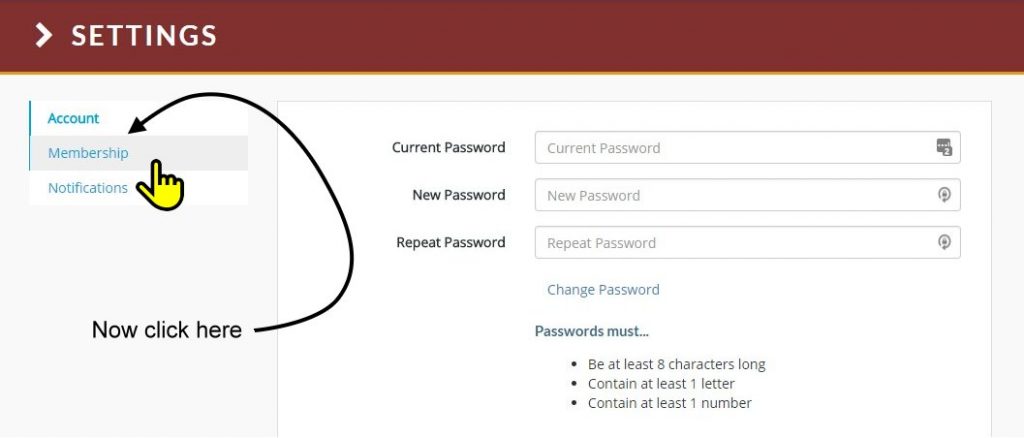
STEP 2: Now on the left-hand menu, click the “Membership” link.

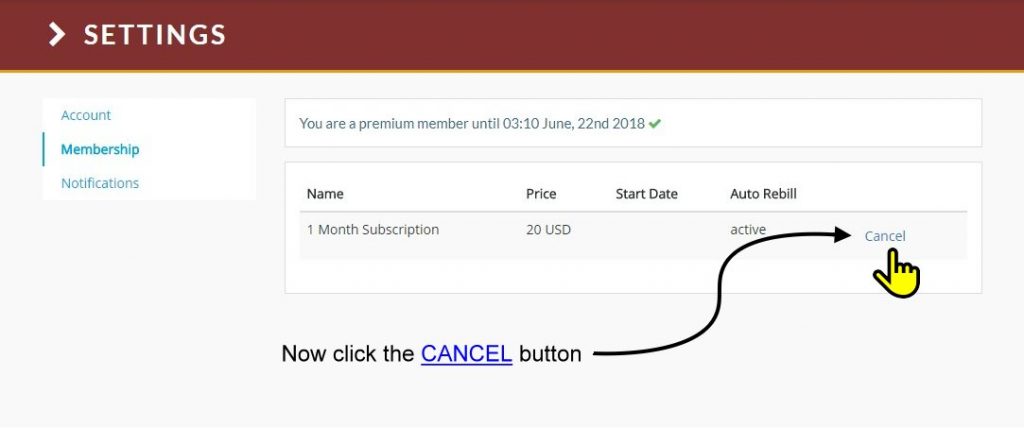
STEP 3: As indicated in the diagram below, click the “Cancel” button.

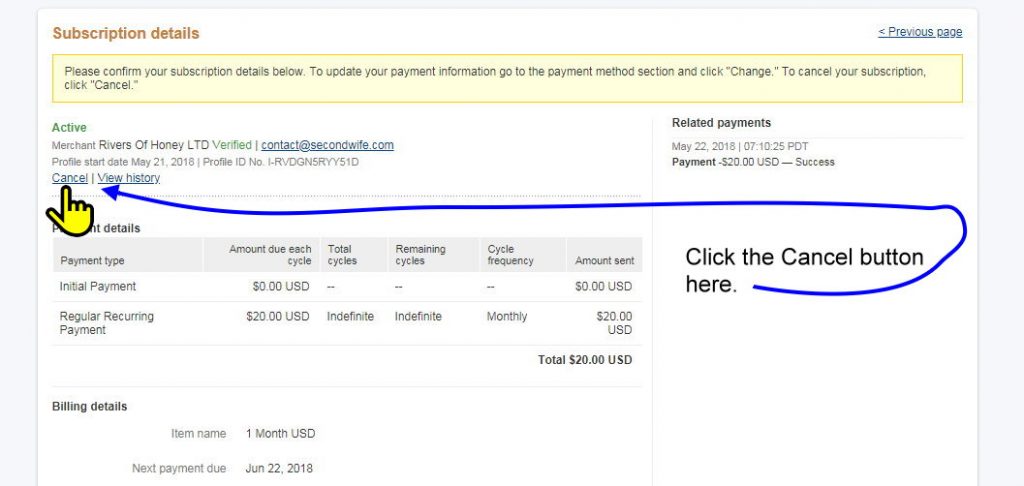
STEP 4: Log into your own PayPal account.

STEP 5: You will arrive on the page shown below. Now click on the “Cancel” link within PayPal.

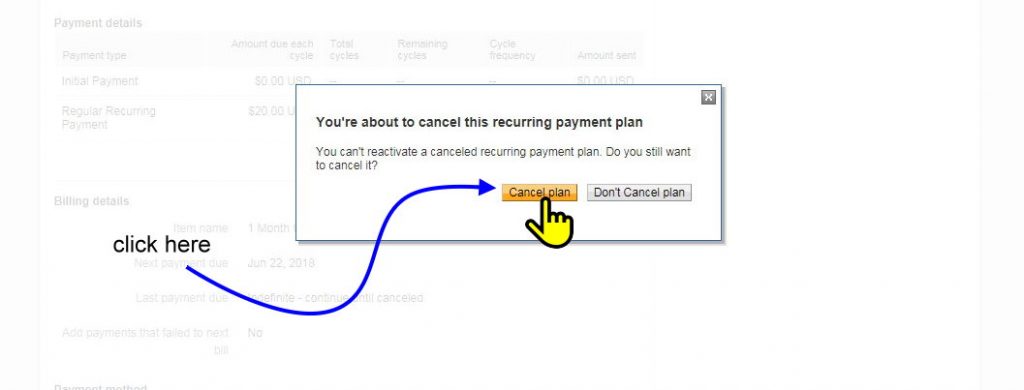
STEP 6: A double confirmation popup will appear. Click on the yellow/orange “Cancel Plan” button to proceed.

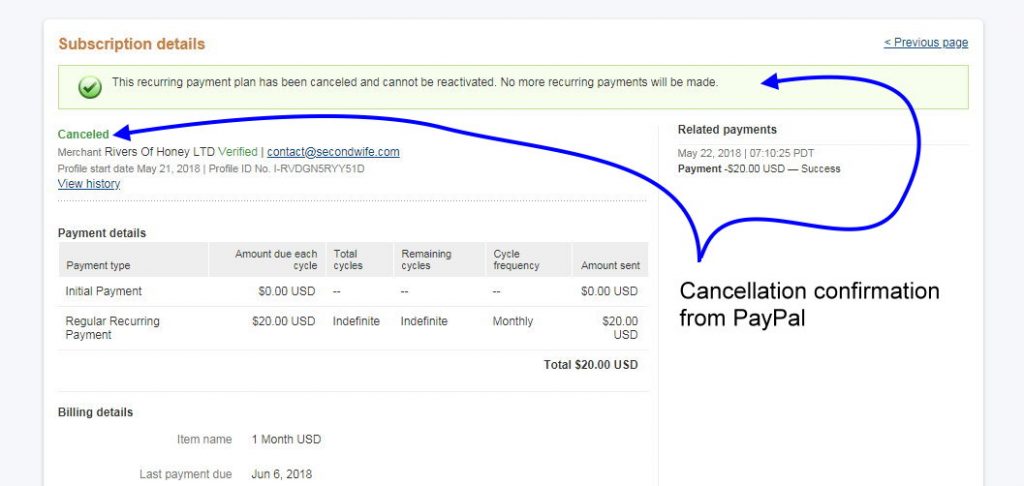
STEP 7: Voila, PayPal will display the following Cancelled Subscription confirmation page.

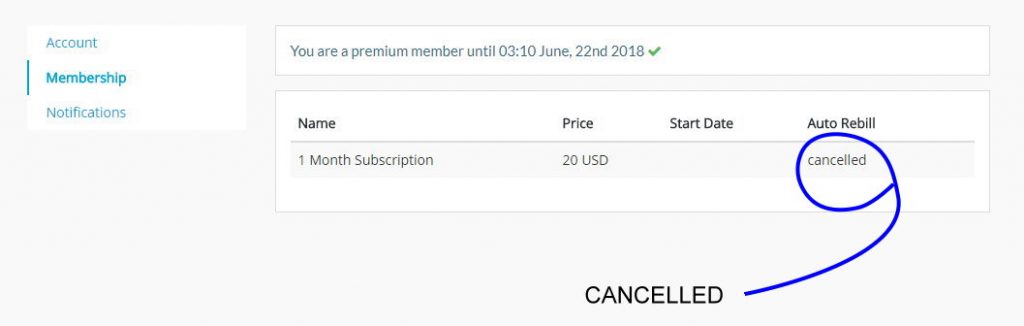
FINAL STEP: Log back into Polygamy.com and check your subscription status. It should now clearly show as “CANCELLED”. If it is not doing so, Get in touch with us.